
Introduction
AI in construction is moving from experimentation to practical use across design, engineering, and project delivery. For architects, the value is not simply generating an attractive image in less time. Artificial intelligence can help teams compare design options, organize project information, identify patterns in building data, and bring potential issues into view earlier in the process.
That opportunity comes with an important distinction: AI output is not automatically a buildable, code-compliant, or coordinated design. A generated floor plan may look convincing while missing accessibility clearances, structural logic, service zones, or local requirements. The useful question is therefore not whether AI can design a building on its own. It is where AI can support a professional workflow, what information it needs, and which decisions must remain under qualified human review.
This guide explains where AI in construction can support architectural practice, how it fits with Building Information Modeling (BIM), what limitations teams should plan for, and how to introduce these tools without compromising design responsibility.
What Does AI in Construction Mean for Architects?
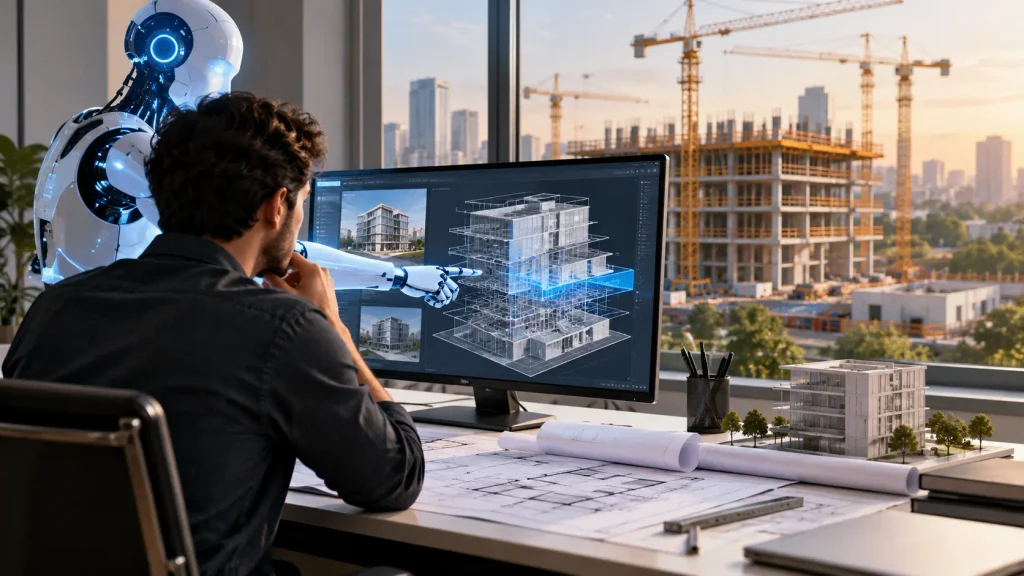
AI in construction refers to the use of artificial intelligence techniques across the building lifecycle, including planning, design, preconstruction, construction, and operations. Depending on the application, these systems may classify information, recognize patterns, predict likely outcomes, generate alternatives, or assist with repetitive tasks.
For architects, AI is most useful when connected to a defined task and reliable project inputs. It can support early-stage exploration, help review large sets of requirements, summarize project information, or assist with analysis. It should not be treated as a replacement for architectural judgment, building-code interpretation, engineering verification, or coordination with consultants.
Common categories include:
- Language-based assistants that help search specifications, summarize meeting notes, draft documentation, or organize requirements, subject to verification.
- Generative design tools that produce multiple options from defined parameters such as area, adjacency, site limits, or performance targets.
- Machine-learning systems that identify patterns in project, cost, schedule, energy, or facilities data.
- Computer-vision applications that interpret images, drawings, site photographs, or visual records.
- AI-assisted BIM workflows that help teams review model information, classify elements, detect possible conflicts, or automate repetitive data tasks.
Where AI Can Support the Building Lifecycle
1. Concept design and option development
Early design involves balancing the brief, site conditions, budget, planning constraints, circulation, daylight, views, and client priorities. Generative systems can help architects explore alternatives against explicit parameters. Instead of manually developing only a small number of options, a team may use software to compare a wider set of layouts or massing studies before selecting a direction for detailed development.
The result should be treated as a set of candidates, not a final answer. Architects need to check whether the options meet the brief, respond to the site, make sense spatially, and can be developed within the project’s technical and commercial constraints.
2. Building performance and sustainability
AI-assisted analysis can help teams examine energy use, solar exposure, daylight, thermal comfort, and other performance indicators when the relevant data and simulation tools are available. Early comparison can reveal trade-offs, for example, how window-to-wall ratio, orientation, shading, or massing may affect daylight and cooling demand.
The quality of these insights depends on assumptions, weather data, occupancy profiles, material properties, and the analysis method. Results should be reviewed against appropriate engineering analysis and the project’s performance criteria rather than presented as guaranteed savings.
3. BIM coordination and documentation
BIM provides a structured digital representation of building elements and their relationships. AI can complement BIM by assisting with information classification, model review, repetitive documentation tasks, and prioritization of issues. In coordination workflows, automated tools can help surface potential clashes or inconsistencies, but teams still need to determine whether an issue is real, assign responsibility, agree a resolution, and verify the updated model.
For projects using automated clash-resolution workflows, VAVETEK’s BAMROC clash-resolution platform and VERY EASY BIM can be reviewed as relevant product pathways. Confirm the current product scope and documentation on the official VAVETEK site before making a software selection.
AI does not remove the need for a clearly defined BIM Execution Plan. Model uses, naming conventions, coordinate systems, required level of development, exchange formats, review cycles, tolerances, and responsibility for approvals should be agreed before automation is introduced.
4. Preconstruction planning and risk review
During preconstruction, project teams must connect design decisions with procurement, sequencing, cost, and constructability. AI-supported analysis may help organize schedule data, identify recurring risk patterns, compare scenarios, or bring attention to missing information. The usefulness of a prediction depends on the quality and relevance of the underlying data.
A risk score is a prompt for review, not proof that a problem will occur. Teams should record the source data, assumptions, confidence limits, and the person responsible for acting on a flagged issue.
5. Construction progress and site information
Computer vision and image-based workflows can support progress documentation, visual comparison, and the organization of site records. When combined with approved plans and schedules, these tools may help teams spot areas that need further inspection or reporting.
Site conditions are complex. Images can be obstructed, lighting can vary, and a visual match does not establish that concealed work complies with specifications. Field verification and established inspection procedures remain essential.
6. Handover and building operations
After practical completion, organized building information can support maintenance planning, asset registers, and facility operations. AI may help search documentation, categorize service requests, or identify patterns in equipment data. These applications work best when asset information is consistent, current, and linked to a clear data owner.
A model created for design coordination may not contain the information required for operations. Teams should define handover needs early, including asset identifiers, equipment data, warranty information, maintenance requirements, and the format the facilities team can actually use.
How AI and BIM Work Together
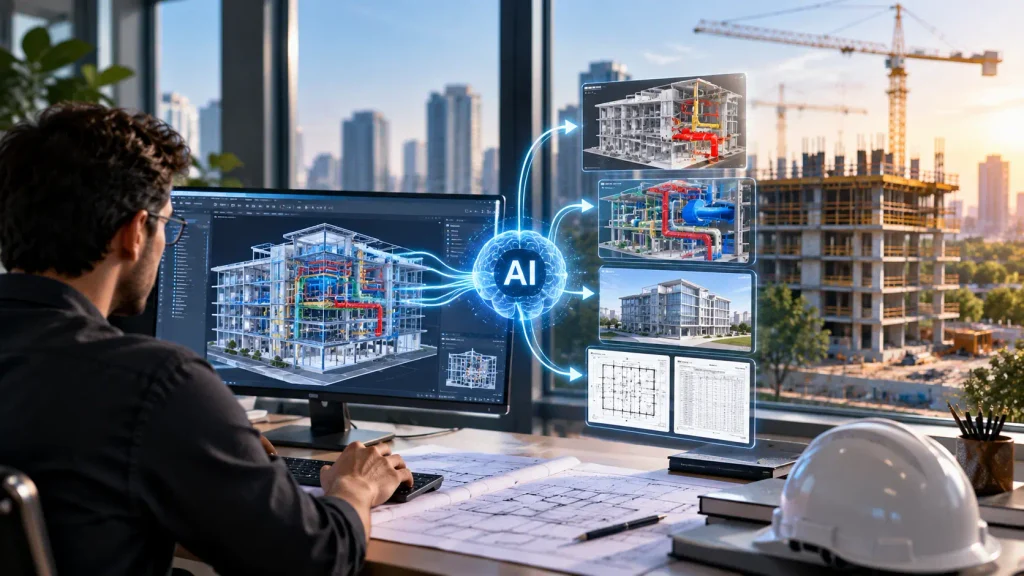
AI and BIM are related but different. BIM structures geometry and project information; AI can analyze or act on selected parts of that information. Combining them can make workflows more responsive, but only when the model is reliable and the task is well defined.
A practical workflow usually includes five steps:
- Define the use case: specify the decision or repetitive task the team wants to improve.
- Prepare the inputs: check model versions, coordinates, parameters, drawings, specifications, and permissions.
- Run the AI-assisted process: generate options, classify information, or identify items for review.
- Validate the output: compare results with project requirements and have the appropriate professional approve decisions.
- Record and improve: document exceptions, corrections, and outcomes so the process can be evaluated and refined.
A model with inconsistent coordinates or outdated equipment selections will not become reliable simply because an AI tool is added. Data quality, clear ownership, and controlled revisions remain the foundation.
For consistent model deliverables, teams can refer to the BIMForum Level of Development Specification when defining the information and development requirements for each project milestone.
Practical Benefits and What They Depend On
AI can offer real operational advantages, but the benefit depends on the task, the inputs, and how the team measures success. The following are reasonable areas to evaluate during a pilot rather than guarantees for every project.
1. Faster early exploration
More design alternatives can be reviewed before a preferred direction is selected.
2. Earlier issue visibility
Automated checks may help surface inconsistencies while design changes are still manageable.
3. Reduced repetitive effort
Routine classification, search, and documentation tasks may require less manual work.
4. More consistent review
Repeatable workflows can help teams apply the same checks across a large set of project information.
5. Better-informed comparisons
Structured analysis can make trade-offs in cost, performance, space, and schedule easier to discuss.
Measure results against a baseline. Useful metrics may include review time, number of issues found before a milestone, false-positive rate, time spent correcting outputs, model completeness, and the number of issues reopened after resolution. A pilot that saves time but introduces unverified errors may not be an improvement.
Limitations and Risks to Address Before Adoption
1. Accuracy and hallucinated outputs
AI systems can produce plausible but incorrect text, classifications, dimensions, or recommendations. Do not rely on generated answers for code compliance, structural adequacy, fire and life-safety decisions, or other regulated matters without qualified review and authoritative references.
2. Incomplete or biased project data
A model is only as useful as the data available to it. Missing information, inconsistent naming, outdated drawings, and data that poorly represents the current project can lead to misleading results. Establish a source of truth and clear version controls.
3. Privacy, confidentiality, and intellectual property
Before uploading drawings, models, contracts, client information, or site images to an AI service, review its data handling terms, retention settings, access controls, and contractual suitability. Use approved tools and avoid sharing sensitive project information with unapproved systems.
4. Integration and accountability
Tools may not integrate cleanly with existing authoring, coordination, or document-management platforms. Define who checks outputs, who approves changes, how exceptions are logged, and how a decision can be traced back to its source.
5. Human experience and design responsibility
Architectural quality involves context, culture, accessibility, comfort, materiality, and the lived experience of occupants. These qualities cannot be reduced to a single optimization score. AI can widen the field of options; the architect remains responsible for deciding which option is appropriate and why.
To establish a structured approach to AI-related risks, project teams can consult the NIST AI Risk Management Framework when developing internal review and governance procedures
The Future of AI in Construction and Architectural Practice

AI capabilities will continue to develop, but the most useful advances are likely to be those that connect reliably with real project information and established professional workflows. More specialized analysis, improved search across project records, and closer integration with BIM and construction platforms may help teams make decisions with better context.
Adoption will still depend on governance, training, interoperability, and trust. Firms that define appropriate use cases, keep project data controlled, and establish clear review responsibilities will be better placed to evaluate new tools than firms that adopt automation without changing their processes.
The aim is not to remove architects from design or construction decisions. It is to reduce avoidable manual effort, make options easier to compare, and bring relevant information to the people accountable for the outcome.
Conclusion: Keep Human Judgment at the Centre
AI in construction can support architects from concept design through BIM coordination, preconstruction, site review, and handover. Its strongest applications are specific: exploring options, organizing information, assisting analysis, and bringing potential issues to attention earlier. The value depends on reliable inputs, measurable goals, and a process for checking outputs.
Before deploying a tool, define the task, agree the source of truth, protect project information, and decide who will validate the result. Then measure whether the workflow improves quality or delivery, not just whether it produces an answer faster.
AI can expand what a project team is able to investigate. Architects and construction professionals remain responsible for applying context, experience, technical knowledge, and ethical judgment to the decisions that shape the built environment.
Frequently Asked Questions
1. What is AI in construction?
AI in construction is the use of artificial intelligence to support tasks across planning, design, preconstruction, construction, and building operations. Applications can include generative design, document search, image analysis, BIM-related review, and predictive analysis.
2. How can AI help architects?
AI can help architects explore design alternatives, organize requirements, compare selected performance scenarios, search project documents, and support repetitive BIM or documentation tasks. Outputs still need professional validation.
3. Does AI replace architects?
No. AI can automate or assist with selected tasks, but architects remain responsible for design intent, context, code and regulatory review, coordination, client needs, and professional decisions.
4. Can AI work with BIM?
Yes. AI can complement BIM by assisting with information classification, model review, issue prioritization, and repetitive data tasks. Reliable model data, defined workflows, and human review are essential.
5. What are the main risks of AI in construction?
Key risks include incorrect outputs, incomplete source data, confidentiality and intellectual-property concerns, integration problems, bias, and unclear accountability. Teams should establish data controls and review procedures before use.
6. How should a firm start using AI?
Choose one narrow use case, establish a baseline, prepare approved data, assign a qualified reviewer, and run a time-limited pilot. Compare results, including correction and review effort, with the existing process before scaling.